Minerva, agile delivery
Plan the work. Ship the work.
Minerva tracks projects from theme to sub-task, runs Scrum and Kanban boards, and keeps releases and the roadmap in one place.
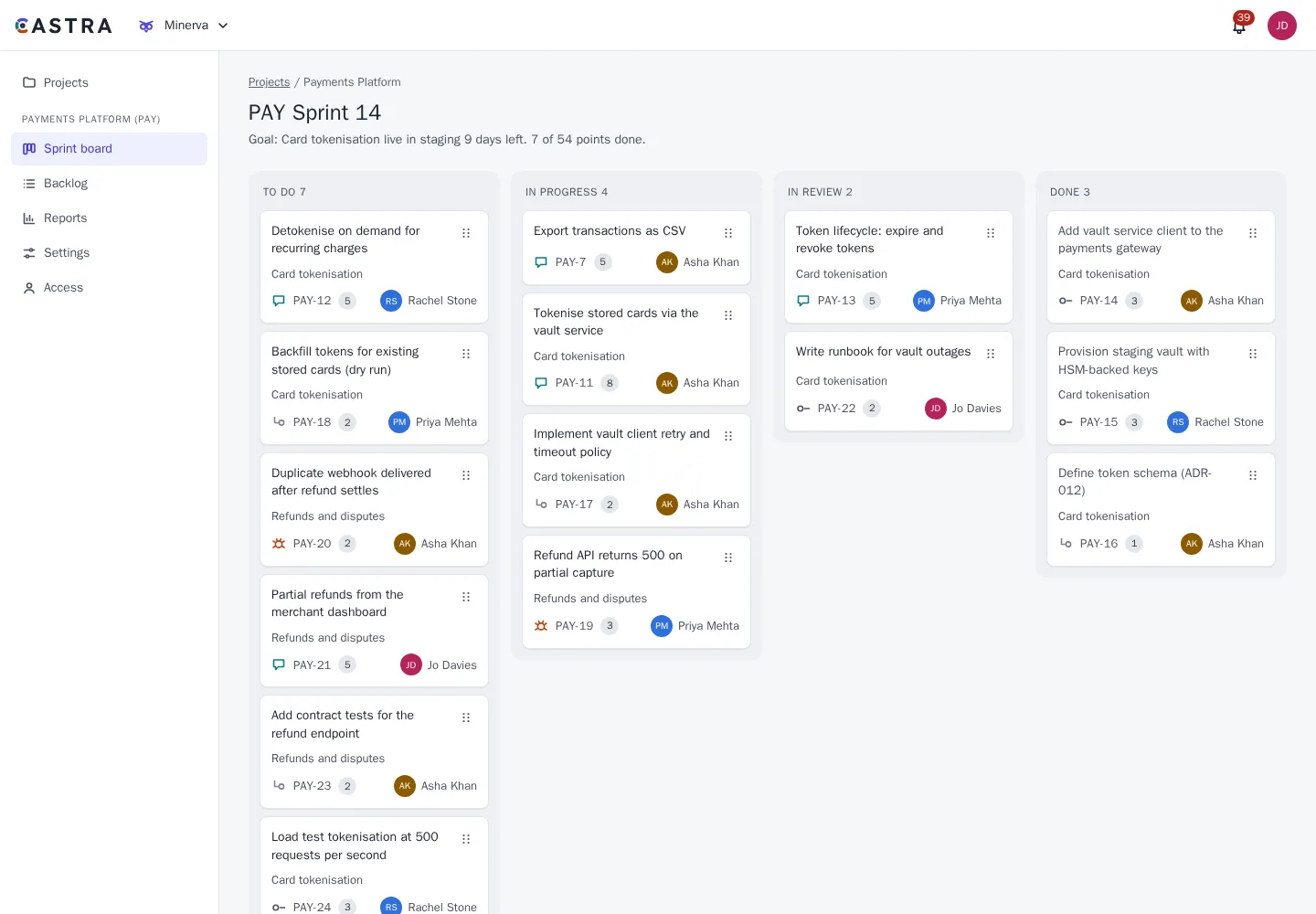
Projects and issues that fit how you work
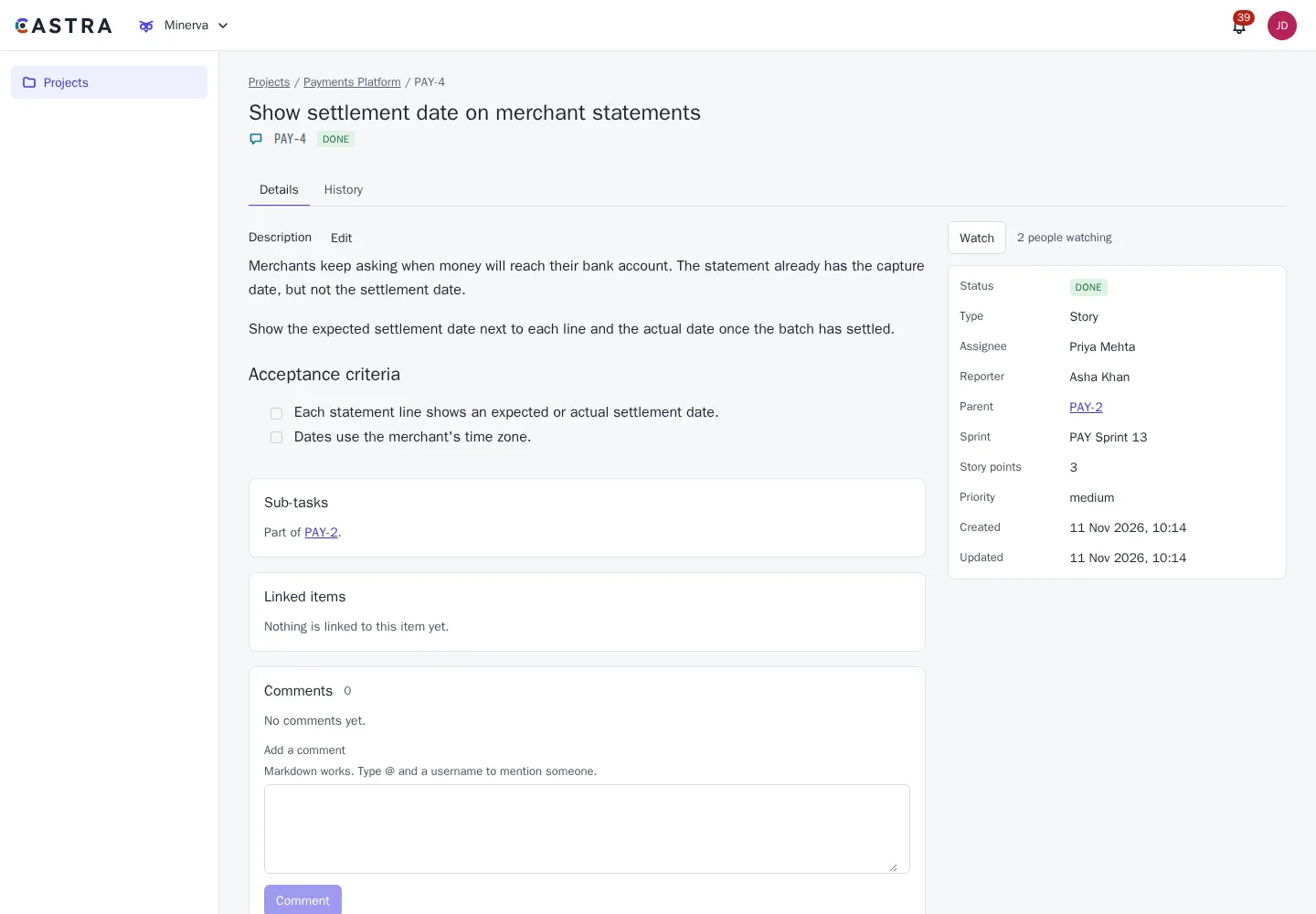
Every project has a key, so work is easy to refer to: PAY-142 means the same thing in a commit message, a chat and a page.
- Configurable issue types: themes, epics, features, stories, tasks, bugs and sub-tasks
- Hierarchy you define per project
- Custom fields
- Permission schemes shared across projects
- Voting on items
- Security levels that hide sensitive items from everyone outside a named set of people, everywhere they could appear
- Project details: description, lead, colour and default assignee
- Workflows with the statuses and transitions your team uses
- Rules on each move: who can make it, what must be filled in first, approvals, and what happens after
- Move items between projects with their history, and old keys keep working in links, search and queries
- Archive a finished project: it stays readable, leaves the pickers, and its automation stops
Finding and changing work
Ask a question of all your work, save the answer and share it.
- A readable query language that can search history, with errors that suggest a fix
- An issue navigator with basic and query modes, sortable columns and a column chooser
- Saved filters, private or shared, with favourites in the sidebar
- Filter results by email, daily or weekly, showing each person only what they can open
- Bulk edit, with a report of what changed and what was skipped
- CSV import with column mapping, a preview and a dry run
- Export results to Excel, PDF or CSV
Boards, backlog and sprints
Run Scrum or Kanban, or both in different projects.
- Scrum and Kanban boards, plus calendar and editable list views
- Swimlanes by assignee, epic, priority or your own queries, and dragging between lanes changes the field
- Quick filter chips, and minimum and maximum limits on columns
- Drag and drop on the board and backlog, with keyboard support
- Edit the title, assignee and story points on a card without opening it
- Sprint planning, start and close
- Versions and releases with a progress bar and generated release notes, and unresolved work moved on
- Components with a default assignee
Time tracking
See what work was expected to take, and what it took.
- Estimates, remaining time and work logs in 1w 2d 3h style
- A time bar on each item
- Query fields for estimates and time spent
- A time report per sprint and per person
Automation rules
Project admins set a trigger, optional conditions and up to 20 actions, and the rule does the rest.
- Start from a library of ready-made rules, or build your own
- Run when an item is created, moved or changed, when a comment is added, on a schedule, or by hand
- Conditions on fields, or any query you can write in the navigator
- Move, assign, set fields and labels, comment, notify, send a webhook or create a linked item
- Loop protection, a run limit, and rules that only act inside their own project
- Run history for each rule, and every rule change in the audit log
Roadmap, dashboards and reports
Plan beyond the sprint, and see how it is going.
- A timeline of epics with dependency arrows and release markers: drag to reschedule, or switch to a table
- A timeline across projects from any saved filter
- Version and epic reports with a forecast range, and an epic burndown
- SAFe PI planning
- Dashboards, private or shared with a project, a group or the organisation, and one can be your home page
- Gadgets for filters, charts, burndown, velocity, queue health and your own work, each showing only what the viewer can see
- Burnup charts per sprint or release, with CSV export
- Roadmaps can be embedded live in Caelus pages
Works with the rest of Castra
Smart links turn a PAY-142 reference in Caelus or Mercury into a live preview.
Sign in with your own OIDC provider. Groups from your directory map to project roles.
Activity is recorded in the shared tamper-evident audit log.
Part of Castra
Minerva shares sign-in, access rules, audit and smart links with the other two tools. Use one, or all three.