Mercury, service desk
Help people, with clear rules about who sees what.
Mercury handles requests, incidents, problems and changes. Requesters get a portal, agents get queues and SLAs, and visibility is strict by default.
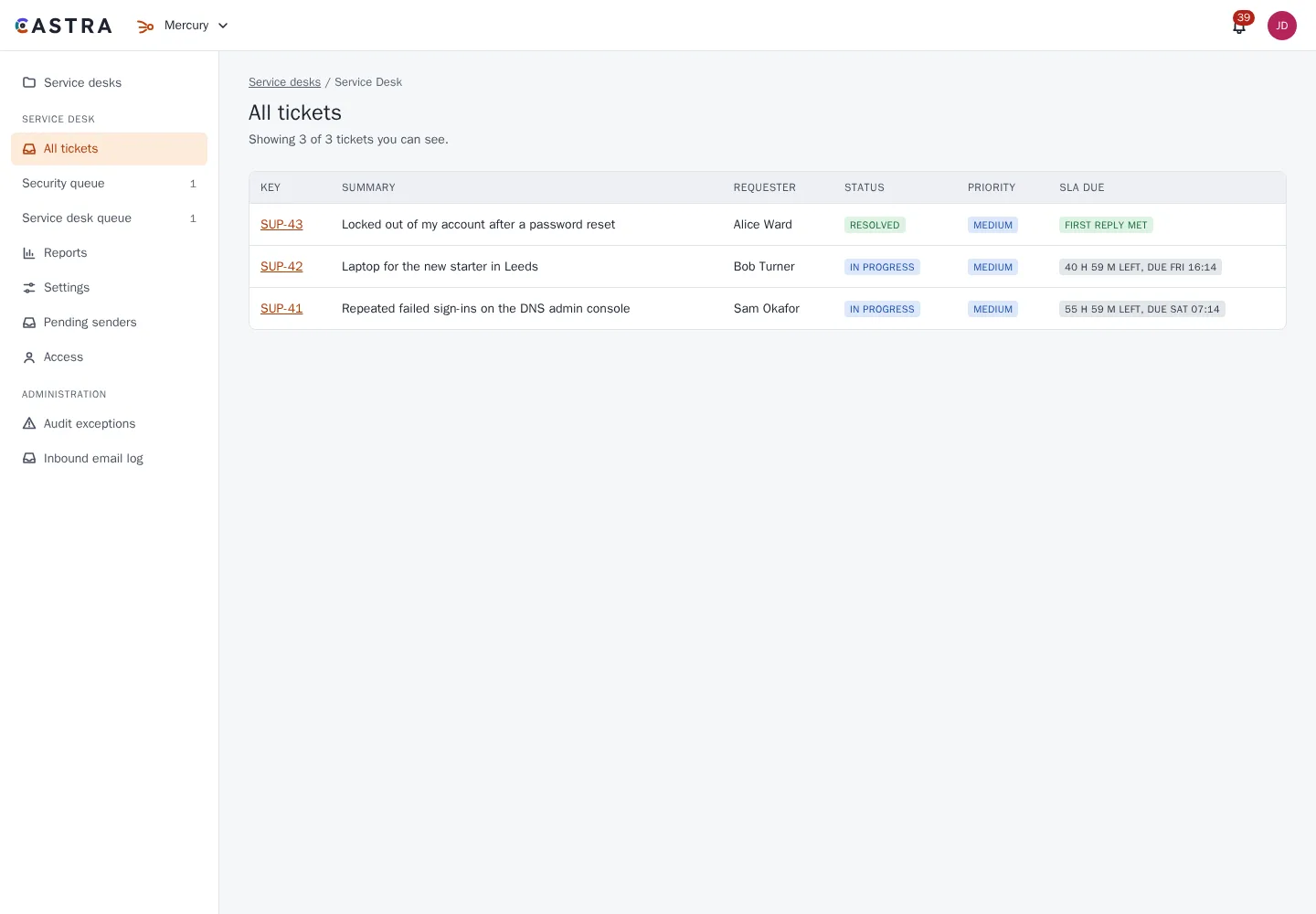
Requests, incidents, problems and changes
Work arrives in the shape ITIL-style teams expect, with a queue for each team and SLAs on every ticket.
- Requests, incidents, problems and changes
- Queues per team
- SLAs with as many measures per desk as you need, and an email alert when a target is at risk
- Rules on each status change: who can make it, what must be filled in first, and what happens after
- Canned responses per desk, organisation-wide or personal, with variables
- Agents raise requests for someone who called, walked up, emailed or chatted
- Bulk actions from the queue: assign, status, notes, labels, priority, link to a problem, or merge
- Merge duplicates: comments, files and people move across, and the old key redirects
- Full email in and out
Changes and approvals
Plan changes, weigh the risk and get them approved.
- Standard, normal and emergency changes, with a risk questionnaire
- An approval board, and pre-approved standard changes from templates
- A lifecycle that ends in a post-implementation review
- A change calendar with change windows, freezes imported from calendar files, collision warnings and a personal calendar feed
- Approvers by person, group or form field, with any, all or a set number required
- Approve from the queue, the portal or a link in the email
- Change reports
Assets
Know what you look after, and see it on the tickets it affects.
- Asset types and attributes of your own, with relationships between assets
- A query language for assets, and import from CSV or JSON
- Assets linked to tickets, incidents and problems
- Requesters can pick their own assets on a request form
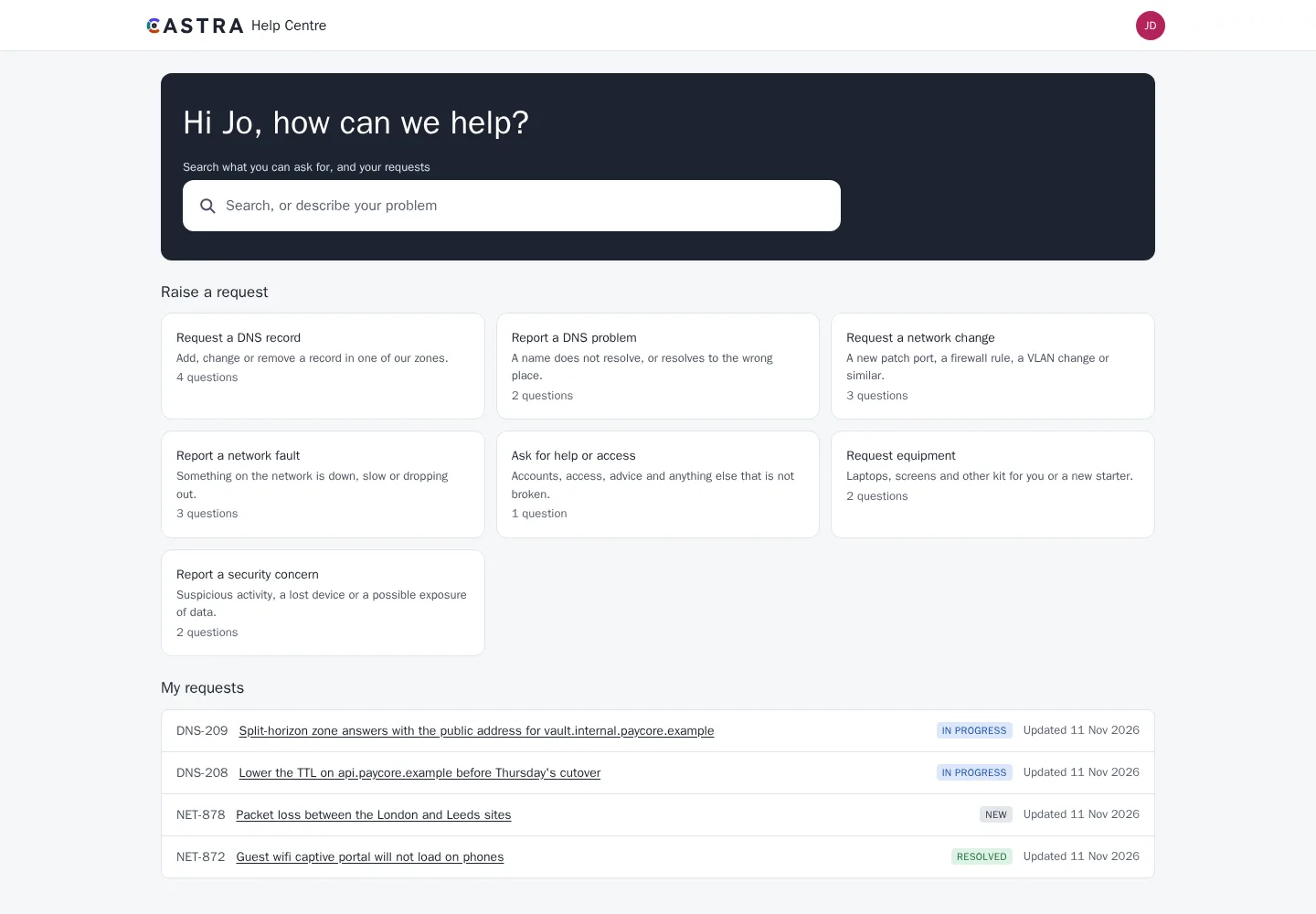
A portal for requesters
People can raise and follow requests, and fix common sign-in problems themselves. Password reset, account unlock and MFA re-enrolment are handed off to your identity provider. Mercury never handles passwords.
- One portal, with your logo, heading, intro and accent colour, and a branded section per desk
- Request types grouped into named sections
- The portal and the agent app in English or German, chosen from each person's setting or browser, with a switcher on the portal
- Desks translate their request types, form questions, branding, emails and help articles
- Forms whose questions follow earlier answers, checked on the server too
- A knowledge base with articles published from Caelus, suggested while someone raises a request
- Live chat that becomes a ticket
- Self-service password reset, account unlock and MFA re-enrolment through your identity provider
Customers
Serve companies as well as people.
- Customer organisations, filled automatically by email domain if you like
- Requesters can share a request with their organisation, so colleagues can follow it and comment
- Permitted members can raise requests for colleagues
- Each desk can reword its emails to requesters, with a live preview and a test send
- Satisfaction surveys on resolve, by portal or email
Problems and known errors
Find the cause behind repeat incidents, and give agents the workaround while you fix it.
- Problems with a root cause, workaround and owner
- A known errors list
- Incidents and requests linked to the problem
- Insert the workaround into a reply with one click
- Publish a workaround to the portal help centre if you choose
- Problem reports
Incidents
When something breaks, run the response from the same place as the requests it causes.
- Severity 1 to 4, and a major-incident flag that alerts a chosen group at once
- An incident commander, responders, and a Jitsi room or your own video link
- A timeline built from events, plus your own notes
- Stakeholder updates by email, and a notice on the portal where people can say it affects them too
- Linked requests, all answered with one reply on resolve
- A post-incident review whose follow-up actions become Minerva items
- A public status page with services, incidents, maintenance and 90 days of history, showing only what an agent publishes
On-call
Know who is on call, and reach them when it matters.
- Rotations per team: daily, weekly or every few days, with layers for weekdays and weekends, and cover when someone is away
- See who is on call now and next, and your own shifts in your calendar
- Escalation steps with wait times and repeats
- Pages start from a major incident, a missed SLA, an automation rule or by hand
- Alerts in the app, by email and in chat, plus a webhook for your own SMS or phone service
- Acknowledge in the app, from the email or with a chat command
- Reports on pages, time to acknowledge and out-of-hours load
Reports and automation
See how the desk is doing, and let rules do the repetitive work.
- Custom reports on volume, response times, SLAs, satisfaction and reopens, split any way you need
- Charts and tables with CSV, and as dashboard gadgets
- Incident reports by severity, and mean time to mitigate and resolve
- Automation rules from ready-made templates or your own, on ticket events, SLA risk, a schedule or by hand
- Notifications from rules still respect who can see each ticket
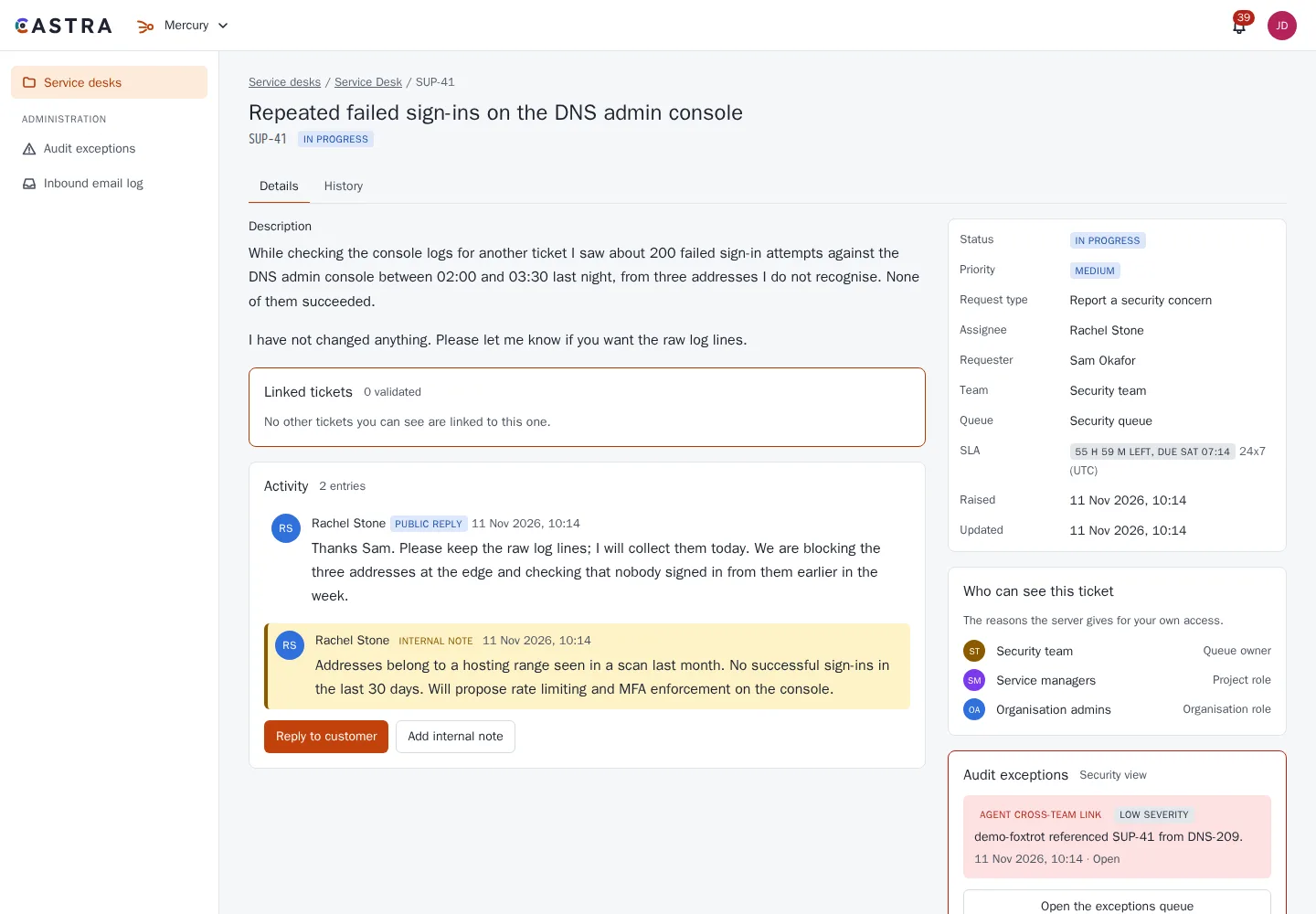
Strict visibility
Agents see their team's queues, tickets assigned to them, and tickets the requester has validly linked. Nothing else.
- Visibility follows team and assignment
- A guessed ticket reference creates no link
- A guess raises an audit exception
Works with the rest of Castra
Smart links show a Minerva issue or Caelus page as a live preview inside a ticket.
Agent roles come from directory groups mapped by project admins.
Link tickets across teams without exposing the rest of either queue. See the example on the security page.
Part of Castra
Mercury shares sign-in, access rules, audit and smart links with the other two tools. Use one, or all three.